
Unfollowing on Twitter: A Complete How-To Guide
Learn smart strategies for unfollowing on Twitter while keeping your network strong. Clean up your feed without losing real connections.
The fastest way to unfollow on Twitter is through X's Lists feature or a third-party dashboard, while the safest approach for account health is a slow, manual batch process. Around 30% of users unfollowed at least once in an early Twitter study, and 85.6% of relationships involved no reply, mention, or retweet.
You probably know the situation. You open X for a useful update, but your timeline is packed with abandoned accounts, repetitive posts, outrage bait, and people you followed for a reason you no longer remember. The result is a feed that consumes attention without giving much back.
Unfollowing isn't petty. Done carefully, it's account maintenance. You're deciding which information sources deserve access to your attention and which connections no longer support your goals. The right cleanup improves your reading experience, reduces distraction, and helps you notice the conversations that matter.
Why Your Twitter Feed Needs a Strategic Purge
A cluttered feed changes how you use X. You skim instead of reading, miss useful posts beneath repetitive content, and stop replying because every session feels exhausting. The problem isn't always that you follow too many people. It's that too many accounts deliver low-value, irrelevant, or redundant information.
Treat your following list like a portfolio. Some accounts provide industry news, some offer original analysis, some create opportunities, and some are personal connections. Others have gone silent or now publish content that no longer matches your interests. Keeping every account forever gives each one equal access to your attention, even though their value isn't equal.

Unfollowing is information hygiene
Early Twitter research makes the social pressure around unfollowing look less dramatic than many users assume. A 2011 CHI study of Twitter relationships found that unfollowing was already a routine part of relationship churn, while most observed relationships involved no direct interaction. That matters because an unfollow often reflects feed management, not a personal dispute.
The practical test is simple:
- Keep useful sources: Retain accounts that consistently teach, inform, entertain, or create relevant opportunities.
- Remove dead weight: Unfollow accounts that have gone quiet, repeat the same material, or no longer match your priorities.
- Protect relationships: Keep clients, collaborators, friends, and valuable contacts even if they post infrequently.
- Use mute when necessary: If you want to preserve a connection without consuming its posts, muting is less final than unfollowing.
Practical rule: If you can't explain why an account belongs in your feed, put it on your review list.
Start with a focused audit rather than a dramatic purge. Review accounts by category, check whether they still publish useful material, and separate temporary annoyance from a lasting change in content quality. A clean following list should make you more willing to open X, read carefully, and engage with the people who support your personal or professional aims. For a structured review, use this guide to managing your Twitter following.
Unfollowing Accounts on Mobile Devices
The mobile app is the quickest option for removing accounts one at a time. The labels can shift slightly between iOS and Android releases, but the basic path is the same: open the account, confirm that you're following it, and tap the following control.
From your timeline, tap the account's profile image or name to open its profile. Tap the Following button near the top of the profile, then confirm Unfollow when X displays the confirmation prompt. The button should change to Follow, which confirms that the connection has been removed.
If the post itself is the problem, tap the three-dot menu on the post and open the account options. Choose Unfollow, then confirm. This route saves time when you encounter an account during normal scrolling, but opening the profile first gives you a better chance to check that you've selected the correct person.
A reliable mobile audit path
To review your entire following list, tap your profile image, open Profile, and select the Following count. Work through the list deliberately instead of tapping rapidly while distracted. Open an account when the name, handle, or profile image doesn't immediately tell you whether it belongs in your network.
Use a short decision process:
- Recognize the account. Confirm that it's the person or organization you intended to review.
- Check current relevance. Scan recent posts and decide whether the account still serves a clear purpose.
- Choose the least disruptive action. Unfollow low-value accounts, mute noisy but important contacts, and leave valuable sources alone.
- Pause after a small batch. Review your own account activity and avoid turning a manual cleanup into bot-like behavior.
Don't remove someone just because they had a quiet day or posted one item you disliked. Strategic unfollowing evaluates patterns, not isolated posts.
Desktop Workflow and Using Lists for Bulk Removal
Desktop X is better for a serious audit because you can see more of each profile, switch between tabs, and keep a review system open beside your account. Start by opening your profile, selecting Following, and working through the list in a browser tab. Use a second tab for accounts that need closer review, but avoid opening so many tabs that the process becomes careless.
Lists can reduce the visual clutter. Create a private list for accounts you want to evaluate, then add candidates as you review them. The list becomes a temporary workspace, not a permanent judgment. Once you've checked an account's recent activity and relevance, return to its profile or use the list view to remove the follow connection.
A safer desktop sequence
- Create a private review list. Give it a neutral name so it functions as an audit queue.
- Add candidates gradually. Include accounts that are inactive, repetitive, off-topic, or no longer useful.
- Check exceptions. Look for clients, partners, friends, journalists, and subject-matter experts before removing anyone.
- Unfollow manually. Use the Following button on each confirmed profile and accept the prompt.
- Remove reviewed accounts from the list. This keeps the queue clean and prevents duplicate decisions.
Lists improve organization, but they don't turn aggressive actions into safe actions. X's own interface remains the least complicated route because you can see exactly which account you're changing. Avoid browser scripts, keyboard macros, and extensions that click through profiles automatically. They can remove the human review that protects important relationships and can create an unnatural action pattern.
For a more detailed workflow, follow this desktop guide to bulk unfollowing on Twitter. The aim isn't to delete your network as quickly as possible. It's to make better decisions with a clear record of what you've reviewed.
Leveraging Third-Party Tools for Mass Unfollowing
Third-party dashboards become useful when native X navigation makes a large following list difficult to inspect. Their main advantage is organization. A good dashboard can help you filter candidates, preview proposed actions, protect selected accounts, and queue work instead of forcing you to remember every profile manually.
Native X tools are strongest for small, high-trust cleanups. You see the account in its original context, make each decision yourself, and avoid handing account control to another service. The tradeoff is time. Reviewing a large network manually can become repetitive, especially when you need activity filters or a record of accounts already assessed.
A third-party workflow can be more efficient, but convenience shouldn't override account safety. Treat any service that can act on your account as a security decision, not just a productivity purchase.
Compare the operating models
| Approach | Best use | Main advantage | Main risk |
|---|---|---|---|
| Native profile actions | Small, careful reviews | Maximum control over each decision | Slow for a large network |
| X Lists | Categorizing accounts before review | Creates a focused audit queue | Still requires careful confirmation |
| Trusted dashboard | Organizing larger cleanups | Filtering, previews, and queued actions | Permissions and automation require scrutiny |
| Unverified extension or script | Avoid | Fast clicking | Credential, policy, and account-health risk |
The safest third-party setup should show you what will happen before anything changes. Look for a preview, filters, protected-account settings, and a queue that spaces actions over time. Reject tools promising an overnight purge or an instant removal of thousands of accounts. A service that removes friction by removing your control is a liability.
Use the Twitter bulk unfollow tool guide to compare workflow options, then audit the permissions before connecting any dashboard. Never give credentials to a tool that asks you to paste your password into a form. Prefer an official authorization flow, review the permissions, and revoke access later if you no longer use the service.
The independent guidance available on bulk behavior is fragmented. One guide to unwanted social media connections advises keeping removals below roughly 400 per day, while also noting that platform limits vary by account. Treat that figure as a cautious external recommendation, not a guaranteed X limit. Your practical rule should be slower, reviewable batches with pauses between them.
The Psychology Behind Why We Unfollow
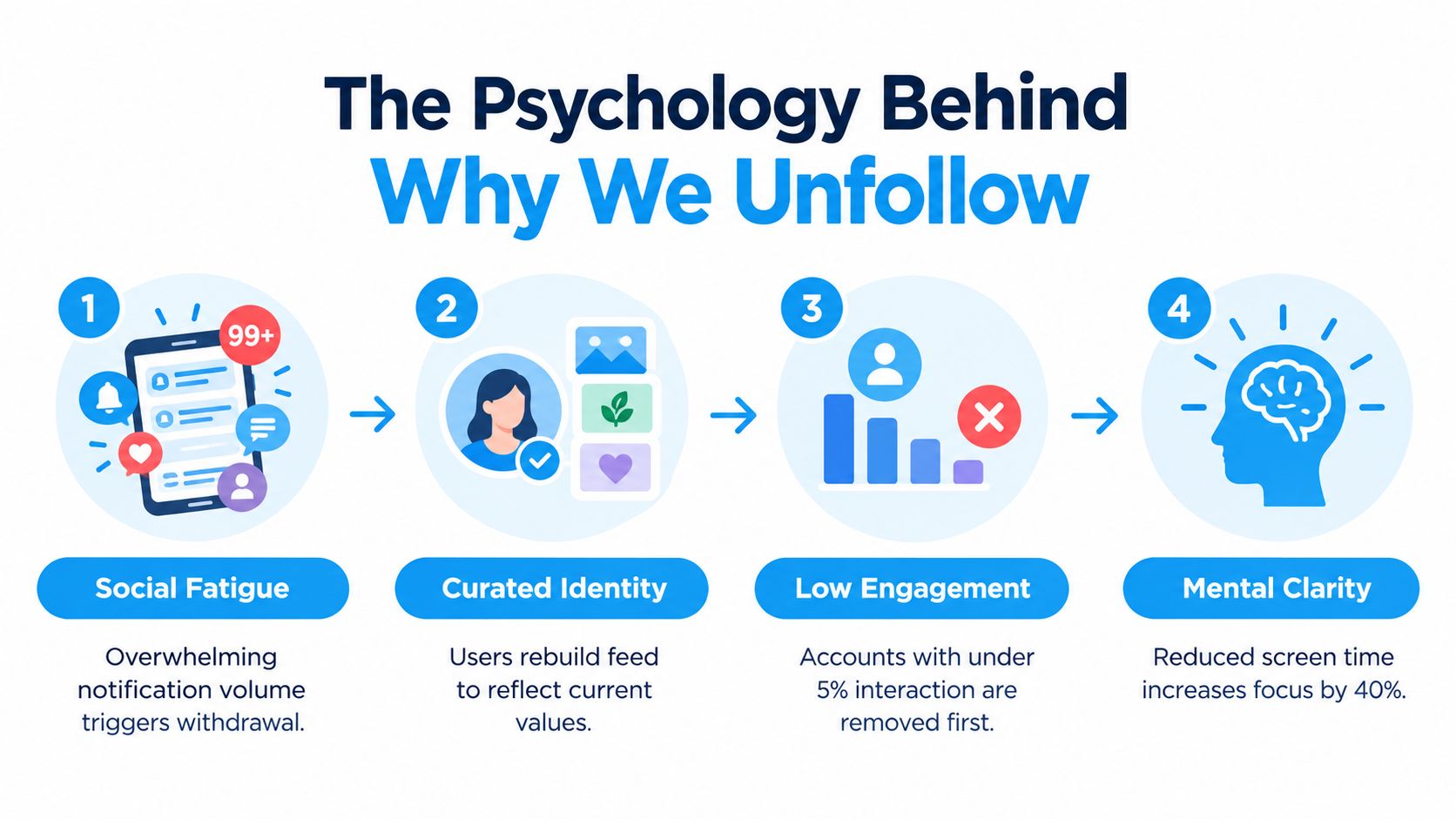
People rarely unfollow only because of one bad post. They leave when the account repeatedly takes more attention than it returns. High posting volume, low relevance, redundancy, and mundane updates can turn a previously useful source into background noise.
A two-wave Twitter panel study found that information overload significantly increased unfollowing when accounts posted too many tweets. Its model reported a positive relationship between posting volume and unfollow behavior, with B = 0.071, SE = 0.006, and p < .01 in the cited analysis (read the panel study). The important operational lesson is clear: frequency isn't automatically visibility. More posts can make people leave when they exceed the audience's capacity to process them.
What users are actually filtering
A large-scale study of 1.2 million Korean-speaking users tracked behavior over a 51-day observation window and found that unfollow decisions were shaped by reciprocity, relationship duration, informativeness, and network overlap (review the study record). Interview responses also identified familiar triggers: many posts in a short period, uninteresting topics, and mundane personal details.
That gives creators a practical retention framework:
- Control volume: Publish often enough to stay present, but don't flood the timeline with minor variations of the same thought.
- Increase information value: Make the reason to follow obvious through useful analysis, original observations, or consistently relevant updates.
- Reduce redundancy: One strong post is easier to process than a chain of near-identical messages.
- Respect audience context: A professional audience may welcome expertise but skip unrelated personal updates.
Unfollowing can also improve what users consume. A field experiment reported that prompting people to unfollow hyperpartisan influencers improved feelings toward the out-party by 23.5%, with effects lasting at least six months, while increasing engagement with more accurate news accounts and reducing reported exposure to political content (read the field-experiment summary). That finding supports a broader point: unfollowing isn't only list hygiene. It can actively reshape the information environment around a user.
Etiquette and Best Practices for a Clean Break
Unfollow without fanfare unless the relationship deserves a direct conversation. Most routine feed curation doesn't require an announcement, explanation, or public signal. Contact someone first when you're ending an active collaboration, leaving a professional community, or removing a relationship where the change could create confusion.
Mute is the better choice when the person matters but their current posting pattern doesn't fit your feed. Use unfollow when the relationship has no ongoing value, the content consistently wastes your attention, or you no longer want that account shaping what you see. Block or report only when there's a genuine safety, harassment, or policy issue. Don't use stronger actions to dramatize ordinary curation.
Protect the network you still value
Before a cleanup, create a protected list of accounts you never want to remove accidentally. Include clients, employers, partners, close contacts, recurring sources, and accounts tied to active opportunities. Check handles carefully because similar names and rebranded profiles can make a quick tap costly.
Afterward, focus on relationship quality rather than a vanity ratio. A smaller, relevant following list can make your feed easier to use, but it won't replace thoughtful replies, useful posts, or consistent participation. The network-scale Twitter analysis identified 112.3 million new follows and 39.2 million unfollows across 13 million users, showing that audience composition changes constantly. Your job is to keep the part of that network that supports your objectives.
A clean break should create a better feed, not a larger argument.
Review your following list regularly so clutter doesn't build into a panic purge. Use manual batches for sensitive accounts, document important connections, and stop immediately if X displays a warning or temporary restriction. Strategic unfollowing works when it improves attention while preserving the relationships that have real value.
XBurst offers follower and unfollower tracking, filtering, previews, and queued bulk workflows for managing an X following list with more control. Visit XBurst to review the platform and decide whether its account-management tools fit your cleanup process.