
How to Quote Retweet: A Practical Guide for X
Learn how to quote retweet on X in 2026 with clear steps for desktop and mobile, plus strategy tips and common mistakes to get more reach.
You've found a post worth sharing, but a plain repost feels lazy and a reply feels invisible. The answer is often a quote retweet, provided you have something useful to add. The format gives the original post context, your audience a reason to care, and your own account a clear point of view.
The mechanics are simple. The judgment isn't. A strong quote post can extend an idea, challenge a claim, or introduce a post to people who'd otherwise miss it. A weak one can look like bait, invite the wrong argument, or bury the original message under vague commentary.
What a Quote Retweet Actually Does on X
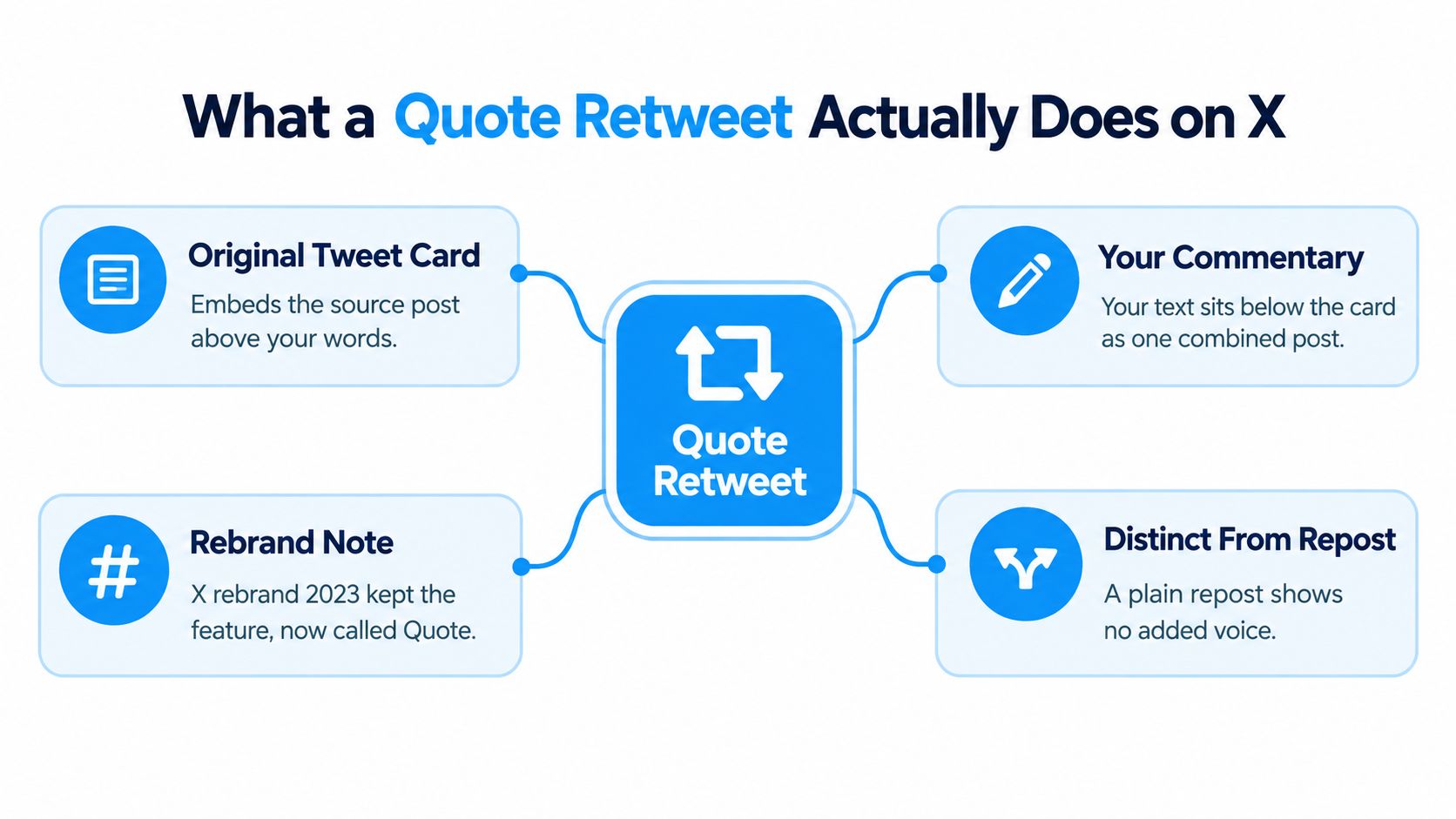
You see a post worth circulating, but your audience also needs context. A quote retweet, now commonly called a quote post, publishes the original post as a card alongside your commentary. A plain Repost distributes only the source. A quote post places your interpretation in the same public message, so readers can judge both the original claim and your framing.
X introduced quote tweeting in 2015 as “retweet with comment.” TechCrunch reported the official launch on April 6, 2015 after a public test the previous summer. X's API documentation describes quote posts as “reposts with comment” and records quote_count separately from retweet_count. That separation makes quote posts a distinct engagement type in the platform's measurement system.
Your post has two voices
The quoted card preserves the source. Your text explains why the post deserves attention, challenges its conclusion, adds an example, or turns it into a practical takeaway. Readers may engage more with that framing than with the original post itself.
That makes the format useful for news sharing, criticism, commentary, social proof, and discovery. Use a reply when your contribution belongs inside the original conversation and a Repost when the source needs no added explanation. Choose a quote post when your audience benefits from your perspective and the source should remain visible.
X now uses “repost,” but “quote retweet” remains the clearest phrase for the with-comment action. If you measure performance, understanding tweet impressions helps separate attention generated by your quote post from engagement on the original.
A research synthesis estimates that quote tweets represent around 10% of all tweets, although adoption varies by country. The same guidance explains the role of quote counts and X's quote-post endpoint, including /2/tweets/:id/quote_tweets. Quote posting is a formal, measurable way conversations spread on X, not a workaround for sharing someone else's post.
How to Quote Retweet on Desktop and Mobile
The fastest way to quote retweet is to open the post, select the repost icon, choose Quote, add your point, and publish. The icon shows two arrows beside the reply, like, and view controls. The exact placement can shift as X updates its interface, so confirm the menu label before selecting an action.
On desktop
- Open the post you want to share.
- Click the repost icon beneath it.
- Choose “Quote” from the menu.
- Write your commentary in the composer.
- Check the preview for your text and the original post card.
- Click Post when both elements look correct.
The web composer normally displays the quoted post as a card beneath or beside your text. If you cannot see that card, you are likely in a standard post composer rather than the quote flow. Stop and reopen the repost menu instead of publishing and trying to add the source afterward.
On iOS and Android
- Tap the repost icon under the target post.
- Select “Quote” in the bottom sheet.
- Add your commentary.
- Attach media if it strengthens your point.
- Review the quoted card.
- Tap Post.
The workflow is also documented in this guide to quote retweeting on X, including the option to add media before publishing.

Avoid the silent repost trap
The repost control sits close to several other actions, so a quick tap can create a silent repost. Check that X opens a composer with your commentary field and the quoted card. On mobile, a long press may reveal the available actions faster, depending on the installed app version.
Interface details vary by browser, device, account, and product update. Keyboard shortcuts can change too, so verify them in X before relying on one. The dependable habit is simple: confirm the composer shows your commentary and the original card before you post.
Adding Commentary, Media, and Links in the Composer
A quote post succeeds or fails on the relationship between three layers: your commentary, optional media, and optional links. The original post stays attached as a quoted card, so each added element should clarify your point rather than compete with it.
Start with the commentary
Write the argument before attaching anything. Strong commentary usually does at least one of the following:
- Explain why it matters: State the practical implication.
- Add what's missing: Supply context, a qualification, or a limitation.
- Give readers a next step: Turn the source into a useful takeaway.
- Name your disagreement: Identify the specific claim you reject.
- Extend the idea: Add evidence, an example, or a clearer framework.
X limits a post to 280 characters. URLs count toward that limit, even though X displays them as shortened t.co links. The platform's quote-post workflow supports adding commentary and optional media before publishing, so draft tightly and leave room for the quoted card.
Add media only when it earns its place
Use the media icon to attach an image, video, or GIF when the visual proves, explains, or demonstrates your point. A screenshot can support a result, while a product image can make an abstract claim easier to assess. Media can also push the quoted card lower on a small screen, weakening the connection between the source and your commentary.
A pasted link adds another preview card beneath your text. Readers may then see the quoted source, your commentary, attached media, and an external destination in one post. Inspect that stack before publishing. Remove any element that distracts from the main claim.

Use a link when it gives readers information the quoted post cannot provide. If the source card already supplies enough context, your commentary may be clearer without another destination. For animated posts, this guide to uploading an animated GIF to X explains the separate media workflow.
Draft, inspect the preview, then publish. Editing options and source-card behavior can vary after publication, making a final check safer than repairing a rushed quote post later.
Quote Retweet vs Reply vs Repost
The right format depends on who you want to reach and what role you want to play. A reply prioritizes conversation in the original thread. A repost prioritizes amplification without adding interpretation. A quote retweet combines distribution with a public point of view.
Research consistently finds that quote tweets produce stronger downstream engagement than plain replies. A meta-review of quote-tweet research notes that one cited study found quote tweets were retweeted and favorited more often than replies. Another study reported that quote posts could reach peak engagement faster than regular tweets. These findings don't guarantee performance for every account, but they explain why the format often travels further than a reply.
| Format | Who Sees It | Your Voice? | Best Use Case | Reach Profile |
|---|---|---|---|---|
| Quote retweet | Your followers, the source audience, and people discovering the quote | Yes | Add context, analysis, criticism, or a useful extension | Broadest opportunity because the post can stand on your timeline |
| Reply | Primarily people reading the original thread | Yes | Start a direct exchange or contribute to a focused discussion | Conversation-led, with less independent distribution |
| Repost | Your followers and people viewing the original | No | Signal agreement or amplify without commentary | Amplification without a distinct message |
Choose based on intent
Use a reply when the original author is the person you most want to reach. If your sentence only makes sense as an answer to them, keep it in the thread. A focused guide to replying to a tweet is useful when the relationship matters more than broadcasting your position.
Use a repost when the source already says everything you want to say. Use a quote retweet when your framing changes how readers should interpret the source. A quote isn't automatically more valuable because it has commentary. The commentary has to earn the additional surface area.
When a Quote Retweet Works and When It Backfires
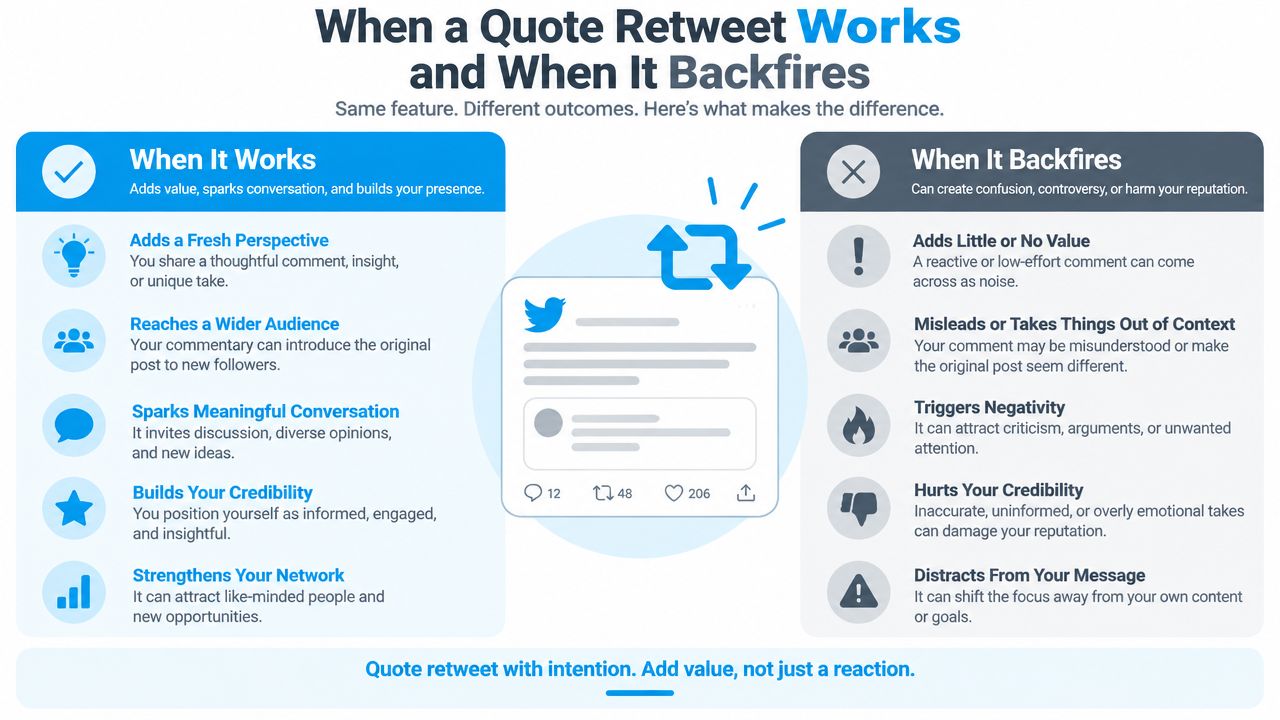
Quote posts work when the original gives you a clear launch point and your addition gives readers a reason to stop. The strongest opportunities usually contain a claim, observation, announcement, or open question that you can extend without repeating it.
A larger account can provide initial visibility, but account size isn't a substitute for relevance. Quote a post because it connects to your audience, not because the author has reach. A smaller original can still support a strong quote when the idea is timely and your interpretation adds something people can use.
Patterns that tend to work
- Extend a claim with an example. Quote the claim, then show how it appears in a real workflow.
- Add a counterpoint without obscuring the source. Name the specific assumption you reject and explain why.
- Translate expertise. Turn a technical statement into a practical implication for a wider audience.
- Give credit while adding context. Explain what the source gets right, then identify the boundary of the idea.
- Invite a focused response. Ask a question that follows naturally from the quoted post instead of fishing for generic engagement.
Practical rule: If readers can remove the quoted card and your commentary still makes sense, you probably have an independent point. If your text only says “exactly” or “this,” you probably have a repost with extra clutter.
Patterns that backfire
Quoting a tiny post solely to bait a larger audience often looks opportunistic. Quoting someone to “dunk” on them without explaining the disagreement attracts attention but weakens trust. Quoting inside a close niche thread can also be a mistake when a thoughtful reply would have started a better relationship with the author.
Framing matters especially during news-driven or polarizing conversations. Research on reply and quote behavior indicates that quote tweets often address a broader audience than replies and function as a distinct framing device. That makes your wording consequential. A sarcastic line can be read as agreement, a clipped correction can appear hostile, and an ambiguous joke can send readers toward an argument you never intended to start.
Before posting, ask: Am I adding clarity, or am I manufacturing conflict? If the answer is conflict, make the point more precise or reply privately and leave the quote unpublished.
Common Mistakes and How to Dodge Them
Most poor quote posts don't fail because the button was difficult to find. They fail because the author treats the quote card as the content and the commentary as decoration.
The traps that damage performance
- Baiting without substance: “This is wild” creates curiosity but gives readers no reason to trust or follow you. Replace it with the exact lesson, disagreement, or consequence.
- Using a screenshot instead of the native embed: Screenshots remove accessible context and can become stale if the original changes or disappears. Use the native quote function when you want readers to inspect the source.
- Contradicting yourself accidentally: A clipped sentence can make your position unclear. Read the quoted post and your commentary together, exactly as a stranger would.
- Leaking a private exchange: Don't quote direct messages, restricted conversations, or sensitive replies without permission. Public availability isn't the same as ethical permission.
- Publishing a half-finished draft: A missing word or abandoned opening makes the post look careless. Draft the commentary first, then attach the source and inspect the final preview.
Write the interpretation first. Attach the quote second. That order forces you to prove you have a point before the source card starts doing the work.
The final safeguard is a short pre-publish pause. Read only your text, then read the quoted post, then read both together. This catches bait, accidental agreement, missing context, and tone collapse before they become public.
Quick Checklist and Frequently Asked Questions
Run this checklist before publishing:
- Name the point you are adding.
- Check that the native quoted card is attached.
- Trim the commentary until the message is clear within the character limit.
- Remove media or links that pull attention from the main idea.
- Read the post as someone unfamiliar with the original.
- Confirm that no private or sensitive context is exposed.
Do quote retweets count as impressions?
Yes. A quote retweet is a separate post, so its visibility and engagement can be assessed independently from the source post. X's API exposes quote activity through quote_count and repost activity through retweet_count. That separation helps when comparing quote posts with replies or reposts in your reporting.
Does the original author get notified?
The original author can receive a notification when you quote their post. The result depends on notification settings and the relationship between the accounts.
Can you quote retweet your own post?
Yes. Open your post, select the repost menu, and choose the quote option. Add a new angle, example, or clarification instead of repeating the original wording.
Can you delete a quote retweet?
Yes. Open the quote post, use its menu, and select the delete option. Deleting your quote post does not delete the original.
Does scheduling preserve the embed?
Scheduling tools handle quoted posts differently. Check the scheduled preview and confirm that the native source card remains attached, rather than publishing only your commentary or a link.
Can you edit the commentary later?
Editing availability, and how edited text relates to the quoted source, can vary by account and product version. Treat the commentary as final before posting. The field is limited to 280 characters, so draft the point before attaching the source.
XBurst can surface promising conversations, suggest an angle, and prepare an on-brand draft for a Reply or Quote workflow. Its analytics track impressions, likes, replies, and engagement rates. Visit XBurst to find higher-opportunity posts, keep commentary consistent, and measure which quote-retweet choices support your growth.