
Tracking Unfollowers on Twitter: A Practical Guide for 2026
Learn effective methods for tracking unfollowers on Twitter and X. Compare native checks, third-party tools, and smart workflows to manage your audience
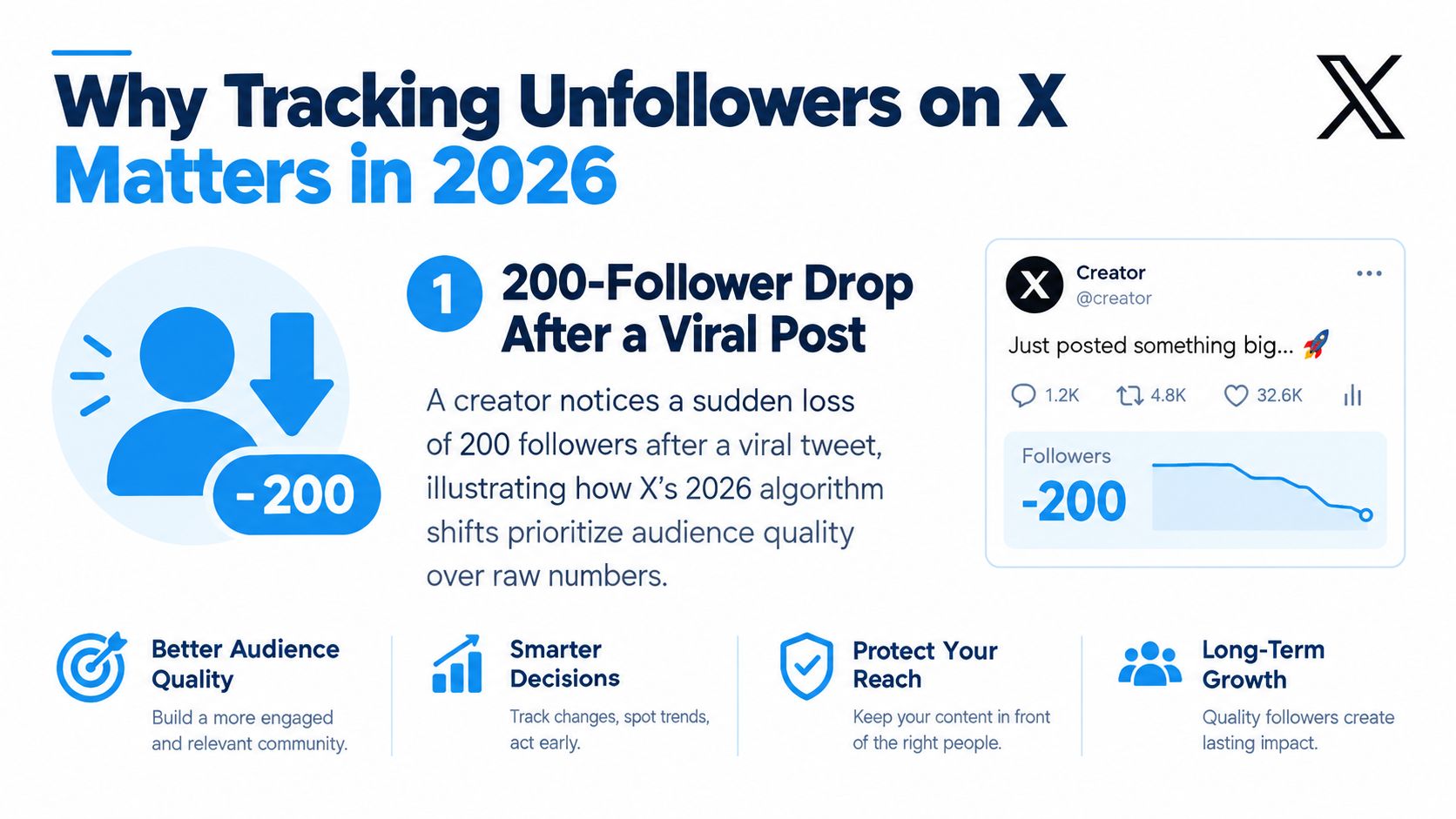
You post something that takes off, your notifications spike, and your follower count climbs fast. Then a day later the number slides the other way and you have no clean answer for who left, whether it was random churn, or whether one thread pushed the wrong people out.
That's the frustrating part of tracking unfollowers on Twitter. The drop is visible. The cause usually isn't. If you manage your own account, a founder profile, or a brand handle, you need more than a changing total on your profile page. You need a repeatable way to capture audience changes, separate noise from real churn, and act without turning follower management into a full-time job.
Why Tracking Unfollowers on Twitter Matters in 2026
A sharp follower drop rarely arrives with useful context. You just see the number dip and start guessing. Was it a controversial reply, a promo-heavy thread, a bot cleanup, or a burst of low-intent followers from a viral post who were never likely to stay?
That uncertainty is why this category of tools has lasted so long. Public “who unfollowed me” tooling on Twitter goes back more than a decade, with one account tied to the concept dating to March 11, 2009 on X. The category never disappeared because the underlying platform gap never disappeared either. X exposes current follower counts, not a native historical unfollower archive, so trend analysis depends on collecting snapshots over time.
Three situations where unfollower tracking becomes useful fast
The first is follow and unfollow churn from low-quality accounts. A viral post can pull in accounts that were never a fit, including spammy or disposable profiles. If a tracker shows a burst of unfollows clustered right after that spike, you're usually looking at audience mismatch more than a content problem.
The second is post-level damage control. If you publish a thread that changes your tone, niche, or level of self-promotion, follower loss can tell you whether the reaction was localized or part of a larger shift. The total count alone won't tell you that.
The third is audience hygiene before a campaign. If you're about to run a launch, partnership push, or giveaway, it helps to know whether your audience is stable or hollowing out. I treat this less like vanity checking and more like list maintenance.
Practical rule: Retained followers matter more than inflated totals because they're the people who reply, quote-post, and keep your account active in the timeline.
What actually matters day to day
X doesn't hand you a clean ledger of exits. That means creators who want clarity need a method. Sometimes that's a native dashboard check. Sometimes it's a manual snapshot habit. Often it's an external tracker that started recording changes before the drop happened.
The important mindset shift is simple. Tracking unfollowers on Twitter isn't about obsessing over every person who leaves. It's about noticing patterns early enough to protect audience quality.
What X Shows You Natively About Unfollowers
If you stay inside X's own tools, what you get is limited. You can see that your audience changed. You usually can't reconstruct the exact change in a useful historical way.

Built-in analytics are commonly described as showing only a recent rolling window, often the past 28 days, rather than a long-term audience archive, as explained in Tweet Binder's write-up on Twitter follower tracking. That's the key limitation. Even when native analytics show movement, they don't function like a durable follower history.
What free users actually have
For most accounts, the only always-visible native number is the public follower count on the profile itself. That count tells you where you are now. It doesn't tell you who left, when they left, or what changed around the same time.
That's why manual checking feels so unsatisfying. You refresh the page, notice a lower number, and still know almost nothing.
What native analytics still don't solve
Here's what's typically missing from the native view:
- No account-level unfollower log. You don't get a reliable list of exactly who unfollowed.
- No exportable history. There isn't a simple CSV-style archive for this use case.
- No event timestamps. You can't cleanly match exits to a specific post or reply window.
- No raw API event stream. X does not expose a direct feed of unfollow events.
One recent guide also notes that X's export flow can be awkward for this use case, and exports may contain numeric IDs rather than usable usernames, which makes manual review hard for most creators and teams, as described in Unfollr's guide to seeing who unfollowed you on X.
Native analytics can confirm that audience movement happened. They usually can't answer the operational question creators actually care about, which is who left and what action should follow.
If you've ever wondered why third-party unfollower apps still exist, this is the reason. They aren't layering convenience onto a complete native feature. They're filling a structural gap.
How Unfollower Detection Actually Works Behind the Scenes
Every unfollower tracker, no matter how polished the dashboard looks, is doing a version of the same job. It captures one follower list, captures another later, and compares them.
X's own developer guidance describes unfollows as a snapshot-diff problem. You re-enumerate followers, compare the cached lists over time, and identify accounts that existed in the earlier list but not the later one, as explained in X Developer Community guidance on tracking followers and unfollowers.
The core mechanic
Think of it like this:
- Take snapshot T1. A tool records your follower list at the moment you connect it or run the first scan.
- Take snapshot T2. Later, it collects the current list again.
- Diff the two lists. If an account was present in T1 and missing in T2, the tool marks it as an unfollower.
That's it. There is no magical hidden feed of real-time unfollow events.
Why some tools feel inconsistent
The diff method is reliable when the snapshots are complete. It gets messy when they aren't. If the first scan missed accounts, or the later scan was interrupted, a tool can show false unfollows. Good implementations reduce that by storing stable identifiers, deduplicating records, and scanning on a fixed cadence rather than erratic intervals.
A practical side effect is that history starts when tracking starts. If you install a tracker today, it can't reconstruct a perfect account-level unfollower list from months ago.
For a broader look at follower totals versus follower history, this breakdown of how to count Twitter followers is useful because it shows why current counts and historical tracking are different data problems.
The main detection approaches
| Method | Data source | Best for | Main limitation |
|---|---|---|---|
| OAuth cloud tracker | Follower lists collected and stored by the service over time | People who want automatic recurring snapshots | Requires trusting a third party with account-linked data |
| Local browser tracker | Snapshots captured in the browser and compared locally | Privacy-conscious users who want minimal account access | History can disappear if local storage is cleared |
| Archive or export diff | Manual comparison between saved datasets | One-off audits and DIY checks | Slow, awkward, and not practical for ongoing monitoring |
One more trade-off matters. Some tools request read-only access, others ask for broader permissions because they also handle follow or unfollow actions. If you only need monitoring, narrower access is the safer default. If you also want cleanup workflows, you'll usually need more capability.
Comparing Third-Party Unfollower Trackers
Most tools fall into three buckets. Once you see those buckets clearly, choosing gets easier.
Cloud dashboards with OAuth access
Tools like Circleboom, Fedica, and FollowerAudit sit on the cloud-dashboard side. You connect your account, the service stores follower-state data over time, and the app surfaces recent unfollows, audience segments, or quality signals.
This model is convenient because it can run without you remembering to take manual snapshots. It's also the model that asks for the most trust. Your history lives on someone else's system, and if you stop using the service you may lose continuity unless you export what's available.
Local-only browser tools
The second bucket is the browser-based local tracker. These tools work by capturing the follower state from the browser and storing the data locally instead of building a server-side archive tied to your account. The appeal is obvious. Less account access, less server-side retention, and less dependence on a cloud dashboard.
The trade-off is durability. If the browser cache or local storage gets wiped, your history may disappear with it. Local-first tools are strongest for creators who care about privacy and don't need a heavy reporting layer.
Privacy and retention risk deserve more attention than they usually get. Recent extension listings and guides increasingly emphasize local-only or no-OAuth designs, but neutral evidence on which approach is safest and most durable is still thin, as discussed in Unfollr's overview of browser-based unfollower tracking.
Broader social suites
The third bucket is the all-in-one analytics or publishing suite. These platforms treat unfollower tracking as one module inside a wider social workflow. You might get audience panels, scheduling, reporting, and team permissions in the same place.
That's useful if you already need the wider stack. It's excessive if all you want is a clean answer to who left this week.
Third-Party Twitter Unfollower Trackers Compared
| Tracker | Auth Method | History Depth | Free Tier | Best For |
|---|---|---|---|---|
| Circleboom | OAuth | Ongoing from connection date | Limited | Solo creators who want a web dashboard |
| Fedica | OAuth | Ongoing from connection date | Limited | Multi-platform marketers who need broader analytics |
| FollowerAudit | OAuth | More audit-oriented than daily diff history | Limited | Users focused on follower quality reviews |
| Local browser trackers | Local browser storage or on-page analysis | Ongoing only while local history is preserved | Often available | Privacy-first users |
| Broader social suites | OAuth | Ongoing from connection date | Usually trial or limited access | Teams and agencies |
Which type fits which user
- Small account: A local browser tracker or lightweight OAuth tool is usually enough.
- Mid-tier creator: A cloud tracker with recurring snapshots saves time and reduces blind spots.
- Agency or multi-handle operator: A broader suite wins if permissions, reporting, and account switching matter more than minimalist setup.
What doesn't work well is expecting one-time lookup tools to behave like a long-term archive. They won't. The archive only exists if the tool has been collecting data all along.
Using XBurst to Bulk Unfollow and Stay on Top of Changes
Once you know who left and which accounts no longer fit your audience strategy, cleanup matters. People get themselves into trouble by moving too fast, using unreliable scripts, or bulk unfollowing with no review step.

A safer workflow is to keep monitoring and action separate. Let one system identify follower-state changes. Then review those segments before you queue removals or following-list cleanup.
A practical setup that stays controlled
If you're using XBurst as part of that workflow, the useful part is that it combines follower and unfollower monitoring with bulk actions in one place. The operational flow is straightforward:
- Connect the X account through OAuth.
- Import or sync follower-state data from your baseline scan or your tracking setup.
- Filter for decision-ready groups such as non-followers, inactive accounts, or low-priority accounts you no longer want in your following list.
- Queue actions instead of firing everything immediately.
That queue matters because it forces a second look.
For the mechanics of staged cleanup, this guide on how to bulk unfollow on Twitter is the right reference point.
What to keep in the workflow
A safe unfollow session should include:
- Whitelist protection. Keep clients, close peers, collaborators, and high-signal accounts exempt from bulk actions.
- Rollback awareness. If you remove the wrong account, you need a quick way to review recent actions.
- Pause discipline. If X throws any friction at all, stop and come back later rather than pushing through.
- Cadence control. Spread actions out. Don't try to “fix” your whole graph in one burst.
Smaller, reviewed batches are boring. That's exactly why they work better than aggressive automation.
What doesn't work in real use
The worst setups are the ones that combine weak filtering with instant mass actions. If a tracker mislabels a state change, and your automation acts before you review it, you create cleanup debt instead of reducing it.
The better approach is to use monitoring for visibility and automation for execution, with a human checkpoint in between. That gives you the time to exclude edge cases like mutuals you still value, accounts you follow for research, or profiles that matter strategically even if they don't follow back.
Turning Unfollower Data Into Retention Insights
A raw list of unfollowers is mildly interesting. A churn pattern is useful. The shift from one to the other is where most creators either get an edge or get stuck staring at dashboards.
The strongest way to think about this is as a retention problem, not a vanity problem. A doctoral study on social media churn found that some network metrics can help predict when users are at risk of unfollowing an organization's account, showing that churn can be modeled from behavioral signals rather than only observed after the fact, according to Jamie Mahoney's doctoral research on social media churn.
Start with segments, not totals
When I review unfollows on X accounts, I don't start with “how many.” I start with “who was this group?”
Useful segments include:
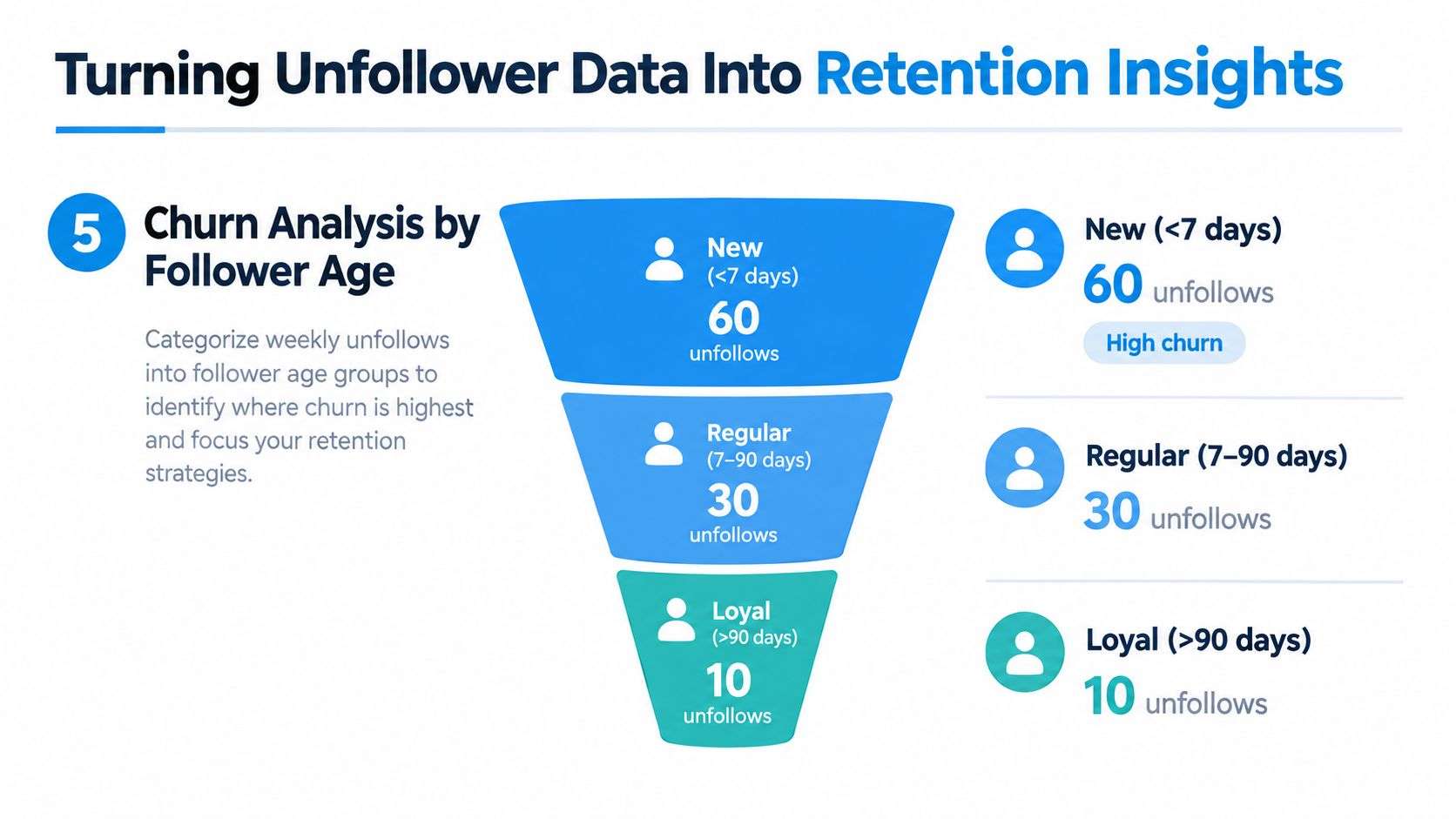
- New followers who leave quickly. This often points to poor alignment between the content that attracted them and the content they found afterward.
- Longer-tenured followers who drift away. That usually suggests your mix changed, your niche widened, or your posting style got stale.
- Previously engaged followers. These are the exits worth inspecting closely because they can signal a tone shift or a trust problem.
A follower loss spike with mostly weak-fit newcomers is different from losing accounts that regularly replied or quote-posted.
Pair churn with surrounding signals
Unfollower data gets more useful when you line it up against nearby behavior:
| Segment | What it can suggest | Next action |
|---|---|---|
| Recent followers leaving fast | Mismatch between acquisition content and ongoing posts | Tighten onboarding content and profile clarity |
| Older followers leaving | Content drift or repeated topic fatigue | Review recurring themes and posting cadence |
| Engaged followers leaving | Community tone shift or a polarizing pivot | Audit replies, positioning, and recent thread topics |
You can deepen that review with a broader Twitter follower analysis workflow so you're not treating all audience exits as equal.
Don't ask only who unfollowed. Ask what kind of follower left, what they were seeing before they left, and whether that pattern repeats.
What actually changes decisions
Most creators don't need a complex model to benefit from this. They need a monthly review that surfaces repeat causes.
A simple version works:
- Review the cluster. Did the unfollows follow a launch, a posting streak, or a topic pivot?
- Tag the pattern. Newcomer churn, loyal-follower churn, or likely low-quality cleanup.
- Make one adjustment. Fewer promo posts, tighter niche framing, or stronger follow-up content after a viral post.
That's where tracking unfollowers on Twitter becomes useful. It stops being scoreboard watching and becomes editorial feedback.
A Safe Daily Workflow for Tracking and Acting on Unfollowers
The cleanest system is the one you'll keep running. You don't need constant checks, just a short routine that catches real changes without pushing the account into risky automation habits.
A low-friction daily pass
A practical morning routine looks like this:
- Open your tracker and review the latest diff. Look for unusual clusters, not isolated churn.
- Cross-check the drop against X's native audience view. You're confirming that the movement is real, not a tool hiccup.
- Tag what matters. Separate likely noise from accounts that indicate a meaningful retention signal.
- Queue cleanup only if it's warranted. Keep bulk actions selective and reviewed.
This takes far less time than manually second-guessing every dip throughout the day.
A better cadence than constant monitoring
Hourly checking creates more anxiety than insight. Snapshot-based systems are more reliable when they run on a stable cadence, and X's own guidance around re-enumerating followers implies that consistency matters more than obsessiveness.
A practical rhythm is:
- Daily review for active accounts. Good for creators posting often or running launches.
- Weekly full-snapshot thinking. Better for pattern recognition and less vulnerable to transient noise.
- Monthly retention review. Content decisions should happen.
The weekly checkpoint that actually improves content
At the end of the week, compare follower churn against what you posted, how often you posted, and how you behaved in replies. Don't just inspect threads. Look at the whole context around them. A thread may get blamed for churn when the issue was three days of repetitive promotion around it.
That review usually reveals one of a few things. Your content is attracting the wrong followers. Your current audience is reacting to a tone shift. Or the loss was mostly harmless cleanup and doesn't deserve a strategic overreaction.
The accounts that manage this well treat unfollower tracking like maintenance. They monitor, verify, segment, and only then act. That keeps the process useful instead of emotional.
XBurst gives you one place to monitor follower changes, review unfollower history, and handle cleanup with controlled bulk actions instead of messy manual work. If you want a more repeatable system for tracking unfollowers on Twitter and acting on those changes without losing the thread of your broader growth workflow, visit XBurst.