
How to Schedule Posts on X in 2026
Learn how to schedule posts on X step by step — native scheduling, tools like XBurst, the right posting cadence, and fixes for common scheduling problems.
Most advice about scheduling on X starts with a neat chart that promises the perfect hour. That chart is useful as a starting hypothesis, but it isn't a strategy. The strongest schedule I've seen is built as a portfolio: evergreen posts go into planned publishing slots, while real-time capacity stays open for replies, quote posts, launches, news, and emerging conversations.
Scheduling solves a real operational problem. It helps you publish consistently, space posts sensibly, and protect time for higher-value work. It doesn't make weak ideas relevant, turn a promotional feed into a community, or guarantee reach. The practical question isn't just when to post. It's which posts deserve automation, which moments require your attention, and what your own audience data says after repeated testing.
Why Scheduling Beats Posting on Impulse
X accounts published more frequently in 2025 than in 2024, yet the average number of impressions per post declined. Accounts averaged 15.97 posts per week in 2024, rising to 17.34 posts per week in 2025, while average impressions per post fell from roughly 2,864.78 to 2,711.29. Average interactions moved in the opposite direction, rising from 37.83 to 42.71 per post, according to the X posting volume benchmark from Statista.
That combination matters. More publishing created more opportunities to receive interactions, but it didn't automatically create more reach for each individual post. A crowded calendar can increase output while making every post less distinctive, especially when several updates compete for attention in a short period.
What a scheduler actually fixes
A scheduler gives your content system three useful controls:
- Consistency: Your audience sees a dependable flow of posts instead of long gaps followed by a burst of updates.
- Spacing: You can avoid publishing several unrelated ideas too close together and give each post room to gather attention.
- Time recovery: You can batch drafting and remove the pressure to invent something during every busy part of the day.
Those benefits are operational, not magical. Scheduling won't rescue a vague point, a recycled opinion with no angle, or a call to action that asks for attention without offering value. It gives strong content a better chance to appear at a deliberate moment.
Practical rule: Use scheduling to make your publishing reliable, not to make your account look busy.
A reasonable starting point for many creators, founders, and brands is two to three posts per day, then adjustment based on impressions, interactions, and engagement rate. That range is a starting cadence, not a universal prescription. The benchmark above shows why frequency should be treated as an optimization problem. Maintain a dependable baseline, then examine whether additional posts add useful conversations or merely increase internal competition.
Build around purpose, not volume
Before adding a post to the queue, assign it a job. An evergreen explanation might support discovery over time. A product update may drive profile visits. A short opinion may invite replies. A customer question may reveal language for future content.
This simple classification prevents the calendar from becoming a collection of disconnected thoughts. It also makes measurement more useful, because you can compare posts that share an objective rather than judging every format by the same standard.
A daily schedule should leave space for conversations that can't be planned in advance. The post you schedule may attract a question from an influential account, reveal a timely objection, or become less appropriate after a major event. Consistency helps you show up, but judgment determines whether showing up is worthwhile.
Scheduling Posts Natively on X
X's built-in scheduler is sufficient if you publish from one account, work with a modest queue, and want a straightforward way to separate drafting from publishing. The controls are easy to use once you know where to look.
Schedule a single post
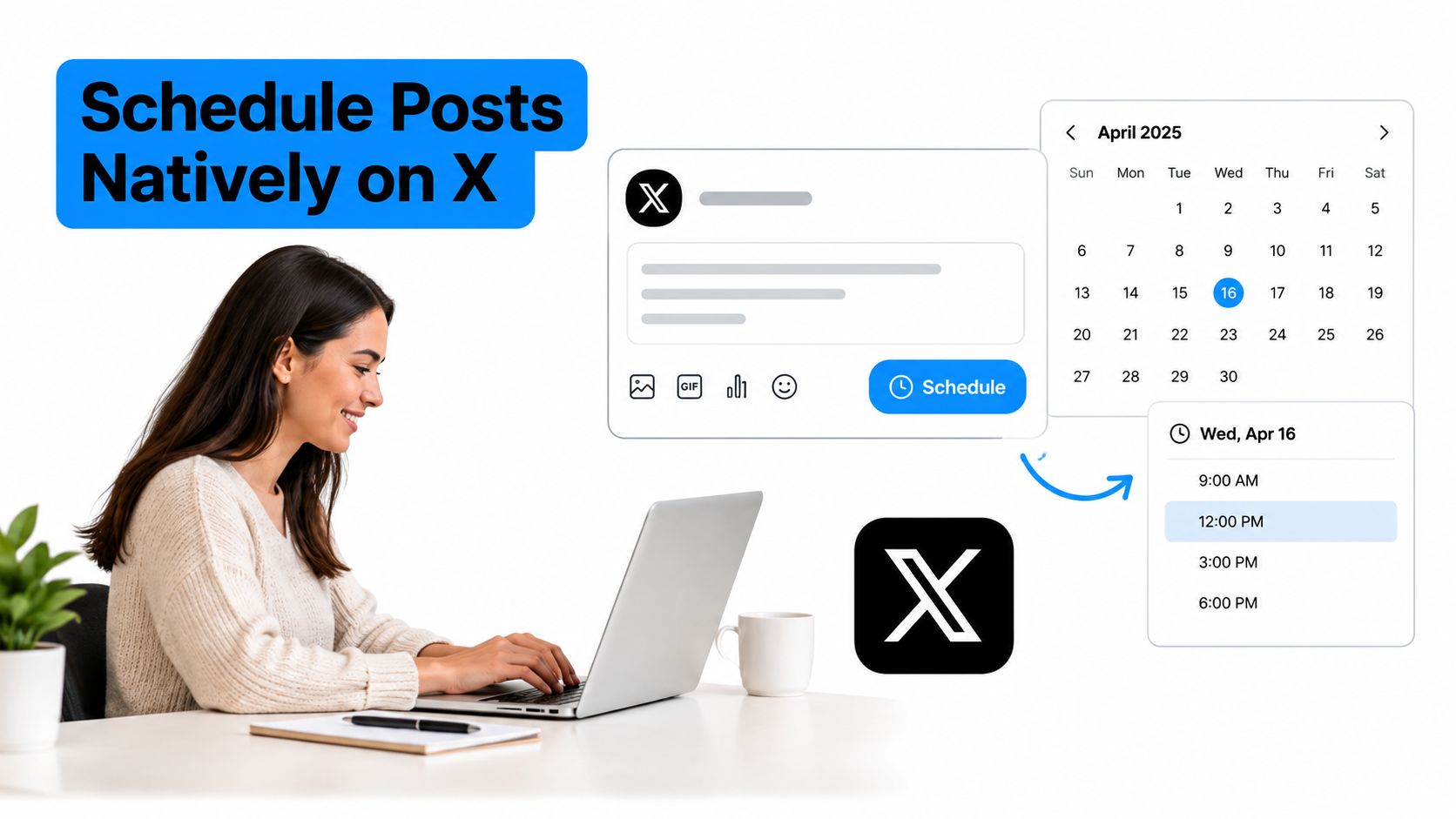
Start by opening the X composer and writing the post as you normally would. Add any media, links, or tags, then review the final preview before choosing the calendar option in the composer.
Follow this sequence:
- Open the scheduling control: Select the calendar icon rather than publishing immediately.
- Choose the date and time: Set the intended publication moment in the date and time selector.
- Check the displayed timezone: Confirm that the composer is using the timezone you expect. This matters when you're travelling, collaborating with someone elsewhere, or managing an audience concentrated in another region.
- Confirm the schedule: Save the post as scheduled rather than as a draft.
- Review the queue: Open the scheduled-posts view and confirm the copy, media, date, and time.
A scheduled post and a draft are not interchangeable. A draft remains an unfinished idea in the composer. A scheduled post has a publication instruction attached to it. If you need to change the wording, time, or media, reopen the scheduled item and edit it before publication. Delete it when the context has changed and you no longer want it to go live.
For a mobile-specific workflow, this guide to scheduling tweets on mobile covers the practical differences between composing on a phone and using the desktop interface.
Handle threads carefully
Native scheduling works less naturally for threads because each post must be scheduled as an individual item. Write the complete thread first, check the order and transitions, then schedule each post in sequence with enough spacing to preserve the intended reading flow.
Don't treat a thread as a set of unrelated posts. A missing reply, a misplaced punchline, or an incorrectly ordered link can make the whole sequence difficult to follow. Review the scheduled view after entering the complete thread, not just after scheduling the first post.
Native scheduling is a good fit for simple publishing, but it has clear limits for a busy calendar. It doesn't provide the same queue controls as a dedicated content system, and it doesn't naturally connect each time slot to performance reporting. It can also feel disconnected from workflows where ideas arrive through mobile notes, messaging apps, or team approvals.
That distinction matters. Native scheduling helps you place posts on a calendar. It doesn't, by itself, tell you whether a slot is working, whether two posts are too similar, or whether you should pause the queue because the day's conversation has changed.
Scheduling With Third-Party Tools and XBurst
Native scheduling handles individual posts well. A third-party tool becomes more useful when the problem is coordination rather than publication. You may need a visible queue, reusable time slots, multiple audience timezones, approval steps, or analytics that connect results to the schedule that produced them.
A dedicated workflow can also reduce the distance between research and publishing. Instead of collecting ideas in one place, drafting in another, and checking performance somewhere else, you can move from opportunity discovery to a reviewed post and then into a planned slot.
Compare the workflow before choosing the tool
Native X scheduling is usually enough when:
- Your queue is small: You publish a limited number of posts and can review them individually.
- You manage one account: There's no need to coordinate permissions, account views, or separate brand calendars.
- Your measurement is manual: You're comfortable recording results in a spreadsheet or checking native analytics separately.
A dedicated scheduler earns its place when:
- You need queue management: Reordering, editing, replacing, and reviewing planned posts becomes faster.
- Your audience spans regions: You can plan equivalent content around different local activity windows.
- You reuse reliable formats: Repeatable slots help you maintain a cadence without rebuilding the calendar from scratch.
- You need reporting: Performance can be grouped by time, format, objective, or account instead of reviewed post by post.
- You protect real-time capacity: A visual calendar makes it easier to see which parts of the week remain open.
The right tool should reduce decisions, not create another dashboard to maintain. If it makes you spend more time moving content between views than improving the content itself, the workflow is too complicated.
A repeatable weekly operating system
A practical weekly routine starts with content selection, not scheduling. Review the conversations, questions, and niche developments that matter to your audience. Draft evergreen posts from those themes, identify the posts that need a human review, and leave open slots for live participation.
With XBurst, teams can schedule from a dashboard or through Telegram, review planned content in a calendar or list view, and reopen scheduled posts to edit, retime, or delete them before publication. Its workflow also supports style analysis for on-brand drafts, creator monitoring for timely engagement opportunities, and niche trend analysis for topic selection.
Use that workflow in four passes:
- Collect: Save durable ideas, recurring questions, and useful observations.
- Draft: Turn the strongest ideas into posts that each have one clear purpose.
- Schedule: Place evergreen material into tested slots while leaving breathing room.
- Review: Check the queue before the week begins and remove anything that no longer fits the current context.
The platform's Starter, Pro, and Elite tiers are designed for different levels of use, from core scheduling to AI-assisted replies and posts, then multi-account management. A 3-day free trial lets you test whether the workflow fits your publishing habits before changing your process.
The same principle applies beyond X. If you also manage visual channels, this Pinterest post scheduling guide is a useful reference for adapting a calendar to a platform where evergreen discovery behaves differently.
For a deeper comparison of planning workflows, see this content scheduling tool guide. The key decision isn't whether a tool has the longest feature list. It's whether it helps you create, schedule, review, and measure without removing the human work that makes X effective.
Finding Your Best Posting Cadence
There isn't one correct cadence for every X account. A benchmark of more than 1 million X posts identified Wednesday at 9:00 a.m. as the strongest overall publishing time, with a median engagement rate of 2.15%. The same benchmark reported an average frequency of 18.1 posts per week, while industry results varied sharply, as shown in the social media benchmark analysis from Buffer.
| Industry | Posts per week | Engagement rate |
|---|---|---|
| Education | 2 | 2.61% |
| Financial services | 2 | 2.06% |
| Real estate | 3 | 1.88% |
| Marketing agencies | 9 | 2.09% |
| Healthcare | 28 | 2.65% |
These figures aren't a calendar to copy. They describe different audiences, content systems, and account contexts. A healthcare audience may respond to a much denser flow of useful updates than an education audience, while a founder may care more about replies and profile visits than broad interaction totals.
Run a controlled slot test
Treat benchmark times as an initial prior, then test them against your own audience. Keep the variables as stable as practical so the time slot isn't competing with major changes in topic, format, or call to action.
Use this sequence:
- Choose one primary KPI: Pick engagement rate, replies per impression, profile visits, or another outcome that matches your objective.
- Set three weekday morning slots: Start with audience-local windows between 8 and 10 a.m., then adjust for the dominant timezones represented in your analytics.
- Use comparable posts: Keep the format, subject depth, and call to action broadly similar across the test.
- Run the test for two to four weeks: Give each slot enough comparable observations to avoid making a decision from one unusual post.
- Compare medians: Median performance is less vulnerable to a single viral outlier than a simple average.
- Keep two slots and replace one: Retain the strongest two windows, replace the weakest with a new test, and repeat.
Don't ask, “What time works on X?” Ask, “Which time works for this objective, this audience, and this format?”
Segment the results where possible by geography, follower activity, format, and account size. A global schedule can underperform when most of your followers live in one region, and a time slot that works for replies may not be the slot that generates profile visits.
Keep a small testing log beside your calendar. A simple note about the objective, slot, topic, and result is enough to reveal patterns that a generic chart hides. For teams that publish product or project updates alongside social posts, a chronological Walling blog updates workflow can also help keep editorial changes and campaign context visible during review.
Why You Should Not Schedule Every Post
A completely full queue looks productive. On X, it can make your account less responsive.
X posting frequency fell 38% in 2024, while impressions rose 50% and clicks rose 30%, according to Metricool's analysis of business posting frequency. Those figures don't prove that every account should publish less, but they do challenge the assumption that more scheduled output automatically creates better results.

Use a portfolio instead of a packed queue
Separate your planned content into two groups:
- Evergreen inventory: Explanations, frameworks, product principles, lessons, curated insights, and durable opinions that remain useful when the day changes.
- Live capacity: Replies, quote posts, launch updates, breaking news, community questions, and conversations that depend on what other people are discussing now.
Schedule the first group. Protect time for the second.
This approach is especially important for founders and community managers. Their best growth opportunity may come from joining a relevant thread with a sharp answer, not publishing another isolated statement from the queue. A scheduled post can create a baseline presence, while a thoughtful reply can connect the account to an active conversation.
Know when to pause the calendar
Review the queue before publishing during a crisis, major news event, product incident, or sudden change in audience mood. A previously harmless joke, sales message, or confident prediction may become insensitive or irrelevant when context shifts.
Pause or revise queued content when:
- The subject has changed: New information makes the claim incomplete or misleading.
- The audience needs a response: People are asking questions that deserve a direct answer before another planned post.
- The account has entered a live conversation: A relevant thread offers more value than the next isolated update.
- The promotion is mistimed: A launch, offer, or announcement no longer matches the current situation.
- The queue crowds out replies: You publish consistently but rarely return to answer people who engage.
A useful review question is, “Did this scheduled post prevent us from doing something more valuable?” If the answer is repeatedly yes, reduce the planned inventory and reserve more time for participation.
Scheduling should create breathing room, not remove judgment. The most resilient X calendars combine predictable publishing with the freedom to change direction when the conversation demands it.
Troubleshooting and Measuring Your Schedule
Most scheduling failures are operational rather than mysterious. A post publishes at an odd hour because the account uses a different timezone than the person who planned it. A queued opinion feels stale because the news cycle moved. A strong post loses momentum because nobody was available to answer the first replies.
Fix those problems with a short preflight check:
- Timezone mismatch: Confirm the timezone shown during scheduling and compare it with the location of your core audience.
- Stale content: Reopen the queue before publication and remove posts whose assumptions no longer hold.
- No conversation coverage: Reserve time around each planned post so someone can read and answer early replies.
- Audience drift: Recheck geography and follower activity when the account's results change.
- Weak repetition: Retire formats that repeatedly miss the chosen KPI instead of increasing their frequency.
Your weekly measurement loop should connect each result to a decision. Track impressions, replies, likes, reposts, profile visits, and engagement rate by time slot. Compare the results with your own baseline, not just a platform-wide benchmark.
The guide to measuring content performance can help organize that review. Keep the analysis simple enough to repeat. Record the post objective, format, publication window, and outcome, then look for consistent differences rather than reacting to one unusually strong or weak result.
Compare median performance, not only averages, because viral outliers can distort the picture. Retain the strongest two slots, replace the weakest with a new test window, and keep time around each scheduled post for replies, as recommended in Buffer's testing guidance.
Start your first test week with one or two quality posts daily, then manually time posts that depend on breaking news, launches, or active conversations. Review the queue before each day begins, protect your response time, and let the account's own data decide what stays.
XBurst brings scheduling, dashboard and Telegram publishing, style-matched drafting, conversation discovery, trend analysis, and engagement measurement into one workflow for X. Use XBurst to build a calendar that protects evergreen publishing time without giving up the live engagement capacity that makes the platform work.